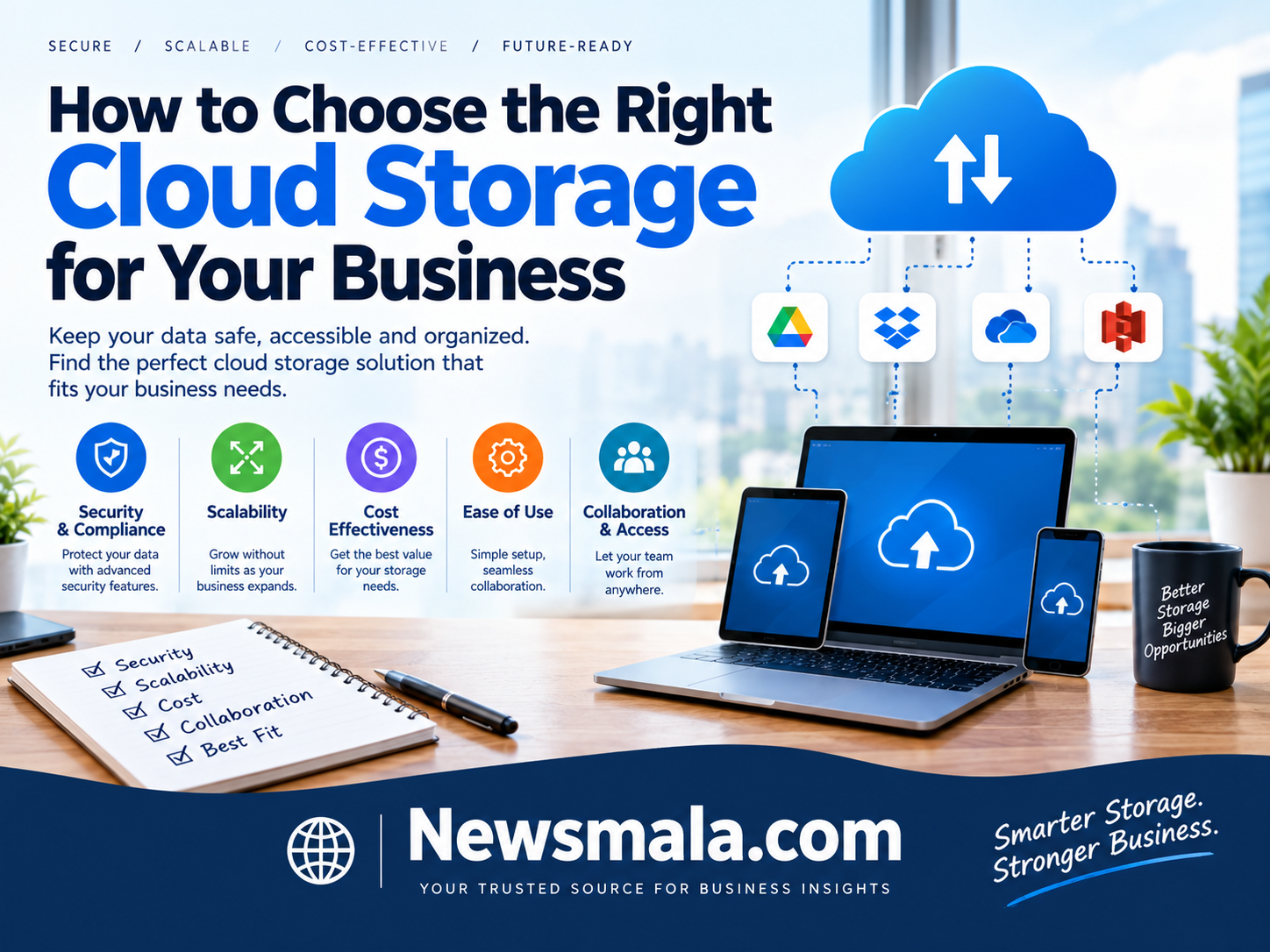
How to Choose the Right Cloud Storage for Your Business
Choosing the right cloud storage architecture requires balancing two distinct categories: team collaboration and workspace platforms (like Google Workspace, OneDrive, and Box) and infrastructure object storage (like AWS S3, Wasabi, and Backblaze B2).
Selecting the wrong provider or storage tier leads to severe productivity bottlenecks, regulatory non-compliance, and compounding bandwidth egress fees that inflate monthly operational expenses.
Core Business Cloud Storage Providers Compared
| Provider | Storage Classification | Baseline Pricing | Minimum Commitment | Primary Operational Strength |
| Microsoft OneDrive / SharePoint | Team Collaboration | $6 – $12.50 / user / mo | 1 user (Annual) | Native Windows, Office 365, and Copilot integration |
| Google Drive (Workspace) | Team Collaboration | $6 – $18 / user / mo | 1 user (Annual) | Real-time web browser co-authoring and search |
| Box for Business | Enterprise Content Governance | $15 – $35 / user / mo | 3 users | Advanced granular compliance, DLP, and eDiscovery |
| Wasabi Hot Cloud Storage | Infrastructure Object Storage | Flat $7.99 / TB / mo | 1 TB ($7.99/mo) | Zero egress fees and no API request surcharges |
| Backblaze B2 | Infrastructure Object Storage | $6.95 / TB / mo | Pay-as-you-go | S3-compatible, ultra-low-cost active archives and backups |
| Amazon S3 (Standard Tier) | Infrastructure Object Storage | ~$23.50 / TB / mo | Pay-as-you-go | Multi-region global availability and vast cloud integrations |
The Fundamental Divide: Workspace Storage vs. Object Storage
Before comparing individual vendors, match your business requirements to the correct architectural tier:
                                 [What is the primary use case?]
                                                |
                    +---------------------------+---------------------------+
                    |                                                       |
        [Human Collaboration]                                   [Machine & System Storage]
                    |                                                       |
  - Word docs, spreadsheets, PDFs                         - Application databases, system backups
  - Real-time editing & team sharing                      - Cold log archives, media streaming
  - Per-user/seat pricing model                           - Per-GB/TB consumption pricing
                    |                                                       |
         (OneDrive, Drive, Box)                                   (S3, Wasabi, B2)
-
Collaboration & Workplace Storage: Designed for human end-users. Files are synced locally to laptops, shared across departments, and integrated directly into office communication tools. Pricing is structured on a predictable per-seat, per-month basis.
-
Cloud Object Storage (IaaS): Built for machines, applications, and automated backups. Data is accessed via API endpoints (such as the Amazon S3 standard) rather than standard desktop sync clients. Pricing scales with raw gigabytes stored and bandwidth retrieved.
1. The Collaboration Front-Runners
Google Drive (Google Workspace): Best for Remote Web-First Teams
Google Drive anchors organizations that operate inside browser tabs rather than installed desktop applications.
-
Strengths: Google’s Shared Drives transfer file ownership from individual employees to the organization itself, preventing lost access when team members depart. Concurrent real-time collaboration on documents, sheets, and presentations remains the industry benchmark.
-
Trade-offs: Managing deep nested folder permissions across external agencies can become fragmented. Desktop folder synchronization can consume high local RAM on resource-constrained hardware.
-
Pricing: Business Starter starts at $6/user/month (30 GB pooled per user); Business Standard is $12/user/month (2 TB pooled per user); Business Plus is $18/user/month (5 TB pooled per user).
Microsoft OneDrive & SharePoint: Best for Windows & Enterprise Office Ecosystems
If your workforce relies on desktop versions of Excel, Outlook, PowerPoint, and Teams, OneDrive offers native synchronization backed by SharePoint infrastructure.
-
Strengths: Granular access controls, native integration with Windows File Explorer, and tight enforcement via Microsoft Entra ID. OneDrive’s “Files On-Demand” feature lets users view terabytes of corporate data without taking up local drive space.
-
Trade-offs: Administrative management across SharePoint, Teams channels, and OneDrive libraries can create overlapping access issues if governance policies are not clearly enforced.
-
Pricing: Standalone OneDrive for Business starts around $5 to $10/user/month; typically licensed as part of Microsoft 365 Business Basic ($6/user/month) or Business Standard ($12.50/user/month).
Box for Business: Best for Regulated Industries & Strict Governance
While Google and Microsoft bundle storage with office suites, Box focuses exclusively on enterprise-grade content management, security isolation, and compliance.
-
Strengths: Over 1,500 enterprise integrations (Salesforce, Slack, ServiceNow), advanced Data Loss Prevention (DLP), frictionless digital signature pipelines (Box Sign), and automated compliance handling for HIPAA, FINRA, and GxP.
-
Trade-offs: Significantly higher per-user licensing costs, with minimum user requirements on business-tier plans.
-
Pricing: Business plans start at $15/user/month (unlimited storage, 3-user minimum); Business Plus runs $25/user/month; Enterprise pricing starts at $35/user/month.
2. The Infrastructure & Backup Contenders
For server snapshots, database backups, bulk media libraries, and active application assets, using workspace storage is cost-prohibitive. Purpose-built object storage solves this at scale.
The Hidden Egress Trap: AWS S3 vs. Zero-Egress Providers
Hyperscalers like Amazon S3, Google Cloud Storage, and Azure Blob charge dual-layered fees: a fee for storing data and an egress fee whenever data is transferred out of their network to the public internet or another cloud provider.
-
Amazon S3 Standard: Charges ~$0.023/GB/month ($23.55/TB) for storage, plus roughly $0.09 per GB ($90 per TB) in outbound data egress fees. If your disaster recovery plan involves restoring a 50 TB server backup, AWS will charge approximately $4,500 just to download your own data.
-
Wasabi Hot Cloud Storage: Charges a predictable, flat rate of $7.99/TB/month with zero egress fees and zero API request charges. It offers 100% S3 API compatibility, making it a drop-in replacement for backup software (Veeam, Commvault) and media production workflows.
-
Backblaze B2: Priced at $6.95/TB/month, Backblaze includes free monthly egress allowances up to three times your average stored volume, charging a nominal $0.01/GB thereafter. It is one of the most cost-effective repositories for long-term IT backups and immutable ransomware vaults.
Key Decision Factors for Small and Mid-Sized Businesses
1. Data Retention and Ransomware Immutability
Your chosen platform must support Object Lock / WORM (Write Once, Read Many) storage. In the event of a ransomware attack, immutable backups cannot be altered, overwritten, or encrypted by an unauthorized actor for a pre-configured retention window.
2. Access Control and SSO Provisioning
Avoid storage solutions that rely on isolated, standalone logins. Ensure your cloud storage integrates with your identity provider via SAML 2.0 and SCIM. When an employee leaves the company, their access to internal files and shared drive links should terminate automatically.
3. Compliance Accreditations (SOC 2, HIPAA, ISO 27001)
If your business processes consumer health data, financial records, or international customer information, verify that the vendor will execute a Business Associate Agreement (BAA) and provide up-to-date SOC 2 Type II audit reports.
4. Hybrid Storage and Local Sync Latency
For creative teams handling large media assets (e.g., 4K/8K video editing or CAD renderings), direct cloud editing introduces latency bottlenecks. Combine low-cost cloud object storage (Wasabi or Backblaze B2) with an on-premises Network Attached Storage (NAS) appliance (such as Synology or QNAP) that syncs snapshots to the cloud during off-peak hours.
Strategic Recommendation
-
Deploy Microsoft OneDrive/SharePoint if your organization already pays for Microsoft 365 licensing and runs primarily on Windows endpoints.
-
Standardize on Google Workspace if your company prioritizes fast, frictionless real-time collaboration across distributed, Mac- or Chromebook-heavy environments.
-
Route all server backups, infrastructure snapshots, and active media archives to Wasabi or Backblaze B2 to eliminate egress penalties and cut storage costs by up to 70% compared to AWS S3.